
This article was created with the AI assistant Claude and published by Peter Hoenig.
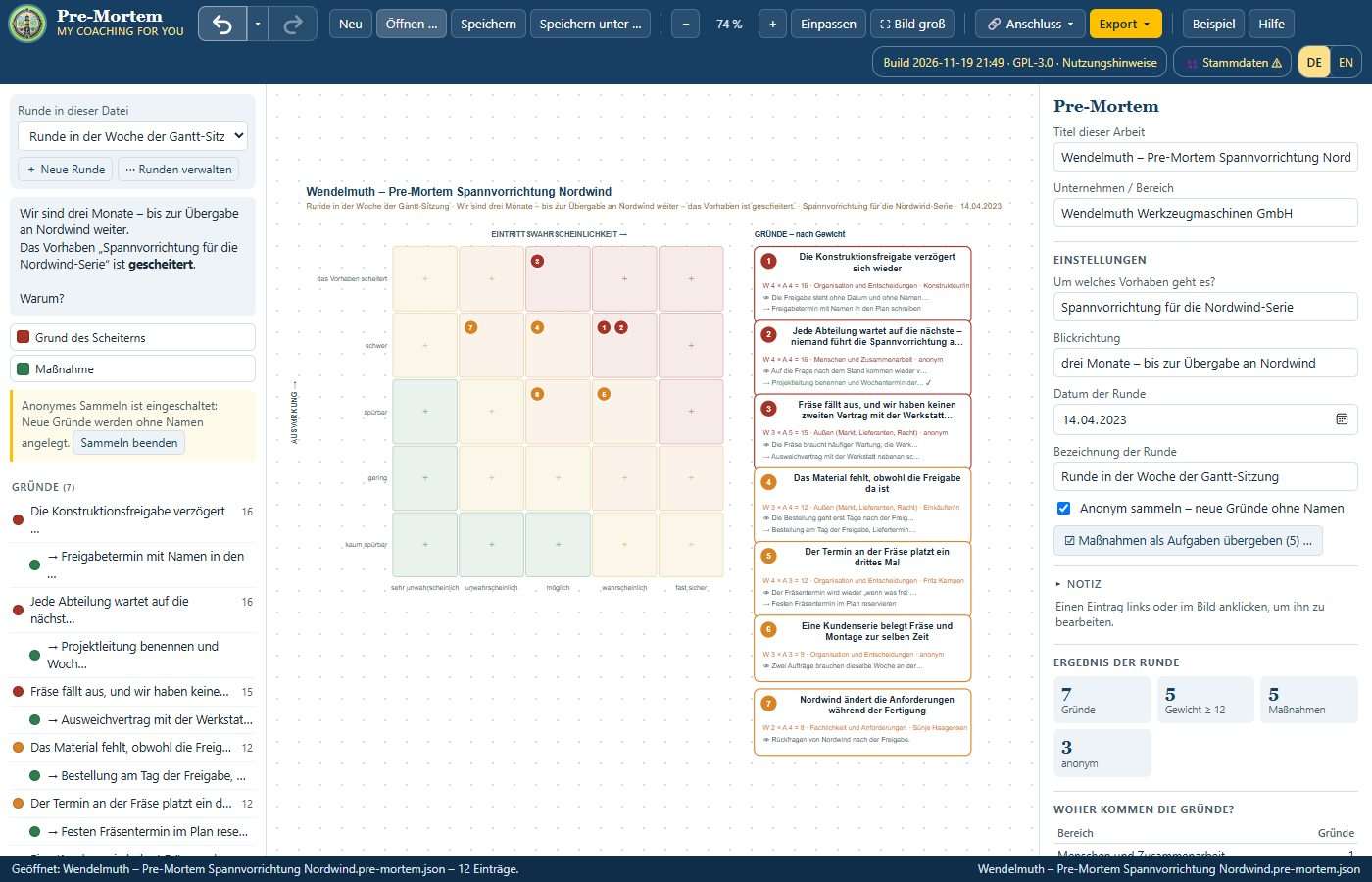
One company runs through the whole MC4Y Suite practice book: Wendelmuth Werkzeugmaschinen GmbH – 47 people, clamping fixtures and special builds for mechanical engineering, and an IT that has grown “like an old garden: with love, without a plan”. Berthold Wendelmuth, Sünje Haagensen, Fritz Kampen, Onno Detlevs and Wiebke Poppksen appear in each of the thirteen parts. Their stories are available as example files for every tool the book uses with them – linked through shared master data and a shared CMDB.
Download
The README in the ZIP names the tool for each file and the button that opens it.
What is included
- Daily business: Master data with the duplicate exercise “Hanssen & Söhne”, bookkeeping with the double invoice to Nordwind and its cancellation, sales navigator, customer navigator, inventory.
- Architecture and data: 8EM Modeller with as-is and to-be picture – 67 nested capabilities in eleven areas, products, two value streams, “create offer” as a BPMN, “issue and correct invoices” as an EPC and order handling as a SeeMe model, business, information and data objects and a record of processing activities; data map with leading systems, duplicates and the input for the record of processing activities; IT map with 22 systems; outage simulation “server 2 fails”; IT survey for “Mona”; EAM maturity check of the first week.
- Incidents and processes: ITSM, incident timeline “Friday, 4:58 pm”, five whys, SIPOC with two processes as sheets, pain points, impact network, responsibility, Kanban, mind map.
- Projects: project management with all three projects in one project collection, among them the critical path of the clamping fixture, to analyse in the project analytics; pre-mortem on the clamping fixture and on the EAM rollout.
- Change, team, coaching: change with force field and change curve, force field, stakeholders, dreamer–realist–critic (also in 3D), decision with tetralemma and decision balance, constellation board (also in 3D), inner team, Johari window, social atom, resource garden, Ikigai, wheel of life, analysis with retrospective, GROW and Eisenhower matrix, Theory U.
How to open a file: master data first, then call up the tool, choose “Open …” and pick the file from the ZIP. The 8EM Modeller opens it in the start window via “open a single model file (.8em.json)”, bookkeeping via “open data backup …”; in the project collection, “🗂 Projects” switches between the three projects.
Frequently asked questions
Do I need to know the book? No, the files explain themselves in the tool. With the book you understand why Fritz asks what he asks.
What changed on 20 Nov 2026? The data map, the EAM maturity check, a second pre-mortem, nine coaching files and the document store template are new. The three projects are now in one project collection, and the 8EM model shows nested capabilities, BPMN, EPC and SeeMe flows, products, value streams and data objects.
Can I use the examples as a template for my company? Yes. The quickest way is to switch the master data to your company first – the other tools draw on it.
Conclusion
A tool is best understood on a company you know. Wendelmuth is fictitious but typical – and now at home in every tool the practice book shows with this company. The book's second example is in the post Practice book example family practice.
Open or download the tools
- Practice book example Wendelmuth (ZIP)Download (323 KB)
- Practice book example Wendelmuth (ZIP, German)Download (329 KB)
Thinking further
You can find more on this topic under resources and downloads – or talk to me directly in a free initial consultation.
Comments
Comments are published immediately with your name. Only the name, title, comment text and time are stored – see the privacy policy.
Loading comments …